

Blog
iPad Floor Stand or Desktop Stand: Which Should You Rent?
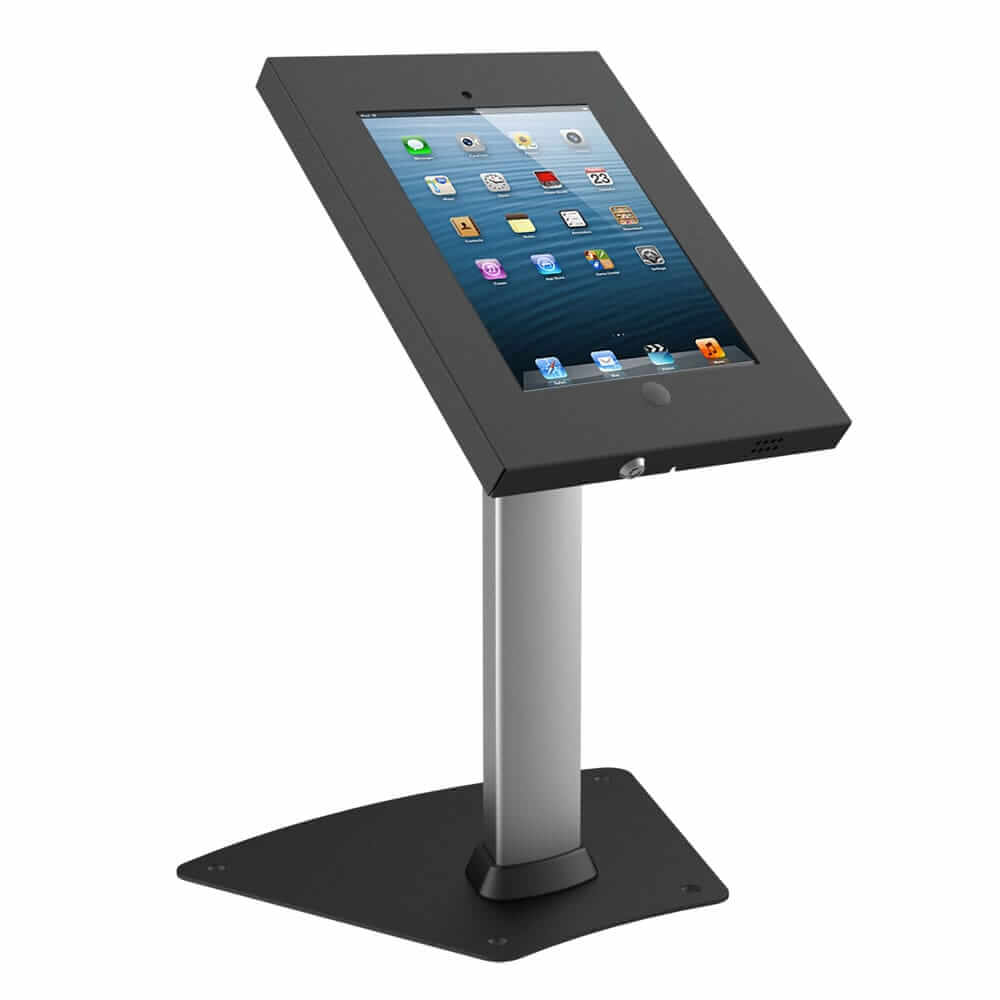
Picking a stand sounds like a small detail, until you watch a queue form around an iPad that is mounted at the wrong height, in the wrong spot, for the wrong kind of visitor.
The iPad is only half of the setup. The stand decides who can see it, how people use it, and whether it stays where you put it.
The Tekk Group’s iPad rental service supplies devices and stands together, and our iPad stands cover both floor and desktop options.
This guide helps you choose the right product for your venue, your visitors, and the space you actually have.
The Quick Answer: It Depends on How People Will Use the iPad
Floor stands suit standing, walk-up interactions in busy spaces. Desktop stands suit seated interactions where a counter or table already exists.
The deciding factors are venue layout and interaction style, not which stand looks more impressive in a catalogue.
Ask two questions before you choose. Will people stand or sit, and do you have spare table space?
iPad Floor Stands: Where They Win
Visibility in Crowded Spaces
A free-standing floor stand puts the screen at eye level above the crowd, so people can spot it from across a hall.
That makes floor stands a strong fit for trade shows and exhibitions, where your iPad competes with dozens of other booths for attention.
At a busy October show, a floor stand near the aisle edge draws walk-up traffic that a screen lying on a table would miss.
Standing, Walk-Up Interactions
Floor stands are built for quick, standing interactions such as check-in, lead capture, wayfinding, and short surveys.
Visitors tap, finish, and move on, which keeps the line moving even when the number of guests is high.
They also handle larger crowds well, because several people can gather around one kiosk without crowding a table.
Built-In Security
Floor stands often include security features, such as a full locking enclosure that holds the iPad fixed inside the housing.
That matters at public events, where an unattended device is an easy target.
The Trade-Off: Footprint
A floor stand takes free-standing space, which is a real consideration in a compact booth.
In a standard 10 by 10 foot booth, a floor stand can claim a noticeable share of the floor.
Plan where it will sit before you commit, so it supports your layout instead of fighting it.
iPad Desktop Stands: Where They Win
Seated, Closer Interactions
Desktop stands use existing counter space, so they sit naturally on a registration desk, reception counter, or meeting-room table.
They suit seated or close-range interactions, such as sign-in at a front desk, client feedback, or a one-to-one product demo.
Easy Transport and Setup
Desktop stands are easier to transport and quicker to set up, which helps when you move between rooms mid-event or work with a small team.
Setup is usually as simple as placing the stand on the surface and connecting power.
The Trade-Off: Table Space
A desktop stand is only as useful as the surface under it.
If the table is crowded with brochures, badges, and laptops, the iPad becomes an afterthought.
Desktop stands are limited by table space, and they sit lower, so they are harder to spot from a distance.
Floor Stand vs Desktop Stand at a Glance
Here is the comparison in one place, so you can match each stand to your event.
| Factor | Floor Stand | Desktop Stand |
|---|---|---|
| Best for | Trade shows, lobbies, entrances | Registration desks, reception, meeting rooms |
| Interaction style | Standing, walk-up | Seated or close-range |
| Space used | Free-standing floor space | Existing counter or table space |
| Visibility | High, even in crowded halls | Lower, depends on the table |
| Crowd handling | Better for larger crowds | Better for small groups |
| Transport and setup | Bulkier to move | Easier to transport and set up |
| Security | Often includes locking features | Can be secured with desktop locks |
| Look | Statement piece for brand presence | Subtle, blends into the desk |
Which One Fits Your Event?
Match the stand to the moment, not the other way around.
- Trade show booth: Floor stands for visibility in the aisle, plus a desktop stand at the counter for staffed demos.
- Conference registration: Desktop stands on staffed check-in desks, with floor stands at the entrance for self-service.
- Product launch or brand activation: Floor stands, which give the activation a professional finish and a clear brand moment.
- Boardroom or corporate meeting: Desktop stands, since everyone is seated and the table is already there.
- Lobby feedback station: Floor stands, so passers-by can tap in their comments without stopping at a desk.
Either way, a proper stand gives a corporate event a more professional finish than iPads propped on a case.
Reach Height: A Fact Planners Often Overlook
If the public will use your iPad, screen height is not only a comfort issue. It is an accessibility one.
The US Access Board sets the unobstructed forward reach range for operable parts at 15 to 48 inches above the floor, with clear floor space of at least 30 by 48 inches for approach (U.S. Access Board).
An adjustable floor stand makes this easy to meet. On a desktop stand, check the tilt and the height of the table itself.
The limits tighten when someone has to reach over a counter, so measure with the stand in place, not on paper.
Keeping the iPad Secure and Locked In
Whichever stand you choose, security is part of the product, not an extra.
Lock the Stand and the Device
Lockable stands feature a full locking enclosure around the iPad, and many include a Kensington security slot so the stand can be cabled to a table.
For desktop stands used at events, a desktop lock adds a second layer. Our tablet locks are built for exactly this.
Lock the iPad to One App
Guided Access restricts an iPad to a single app, so visitors cannot wander into settings or other apps.
On the iPad, go to Settings, then Accessibility, then Guided Access. A session ends when the passcode is entered after triple-clicking the top button, so only your staff can exit it.
Stop the Screen From Sleeping
Set the display to never sleep during the event, so the iPad does not lock itself between visitors.
Auto-Lock lives under Settings, then Display and Brightness. Choose Never, and the screen stays ready for the next person.
Setting Up Your Stand Step by Step
A calm setup is the easiest way to avoid problems on the day.
- Check your venue layout and decide where visitors will stand or sit.
- Choose a floor or desktop stand based on the interaction style.
- Set the screen height so it is comfortable to tap and within reach.
- Load your app, videos, or form, then lock the iPad with Guided Access.
- Set the display to never sleep and check that the iPad is charging.
- Test the full flow from the visitor’s side before doors open.
Most stands are compatible with multiple iPad generations, so tell your supplier which model you are using and ask them to confirm the fit.
Common Mistakes to Avoid
A few small slips cause most stand problems at events.
- Choosing a stand for looks alone and ignoring the venue layout.
- Placing a desktop stand on a cluttered table where nobody sees it.
- Setting the screen too high or too low for standing and seated visitors.
- Forgetting to lock the iPad to one app and keep the screen awake.
- Skipping a visitor’s-eye test before doors open.
Mixing Both at the Same Event
You do not have to choose only one. Many events use both.
A common pattern is floor stands at entrances and booth fronts, with desktop stands at staffed counters.
Product videos, demos, and lead forms run the same on either stand, so the real choice is about people, not content.
For more ways to draw visitors in, read our post on attracting audiences to your trade show booth.
How The Tekk Group Helps You Choose the Right Stand
We supply iPads together with floor-standing kiosk enclosures, countertop stands, and lockable desk stands, so everything arrives configured and ready to set up. For larger events, our technicians can deploy and configure devices on site.
Here is what working with us looks like:
- Tell us your event type, venue layout, and how guests will use the iPads.
- We recommend floor stands, desktop stands, or a mix of both.
- We pre-load your app and branding, and set the lock settings before delivery.
- We deliver the iPads and stands together, with on-site support for larger events.
- You send everything back when the event ends, using the return label in the shipment.
Whether you need one stand for a reception desk or a full set of kiosks for a trade show, The Tekk Group has the iPads, stands, and experience to get it right. Get a quote today and let us help you choose the right stand for your event.
Frequently Asked Questions
Is a floor stand or a desktop stand better for a trade show?
A floor stand is usually better for visibility and walk-up traffic. A desktop stand works well at a staffed counter for demos.
Can one stand work as both a floor stand and a desktop stand?
Some iPad stands can be used on a table or as a freestanding floor stand. Check this when you request your stand.
How do I stop an iPad from being taken from its stand?
Use a locking enclosure, secure the stand with a desk lock or Kensington slot, and keep staff nearby at busy times.
Will the stand fit the iPad model I am renting?
Most stands are compatible with multiple iPad generations. Tell us your model, and we will confirm the fit.
How high should an iPad screen sit for public use?
Operable parts should sit between 15 and 48 inches above the floor for an unobstructed reach, which keeps the screen usable for standing and seated visitors.
Do I need a stand, or can attendees hold the iPad?
A stand keeps the device stable, secure, and at a readable angle. It also gives a shared, public-facing iPad a more professional finish.
Categories
- Coronavirus (4)
- Event Technology (8)
- Events (3)
- iPads (2)
- Laptop (2)
- Partership (1)
- Phone (1)
- Printer (1)
- Screen (1)
- Tablets (2)
- Uncategorized (30)
- VR & AR (1)
Recent Posts

How Many Laptops Do You Need for a Hackathon?

How Many Samsung Tablets Do You Need for a Trade Show Booth?
